
Fomz
MagicDmStudioPhotography
4.6312.00 Reviews
- Version
- 1.2.8
- Installs
- 10.00M
- Age Rating
- Everyone
Screenshots
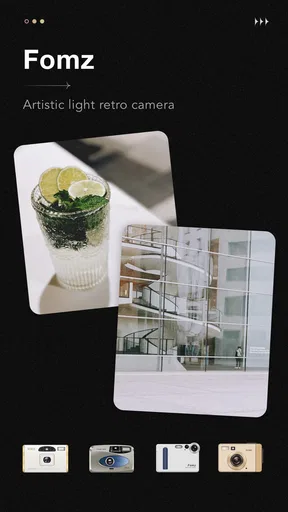
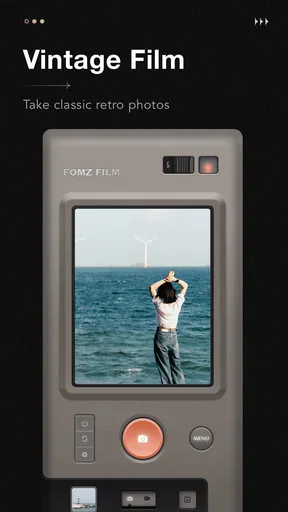
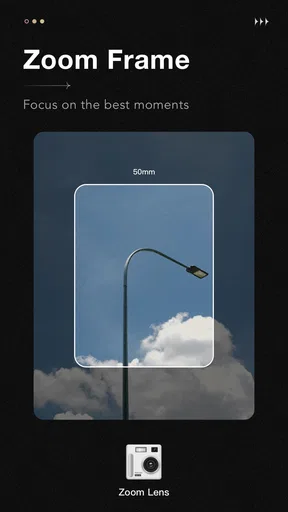
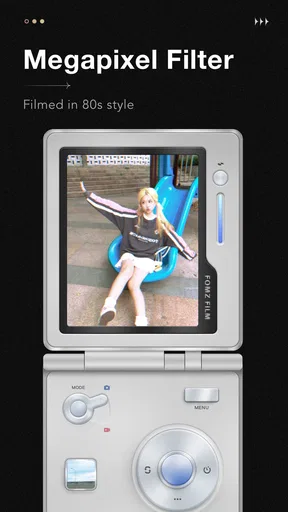
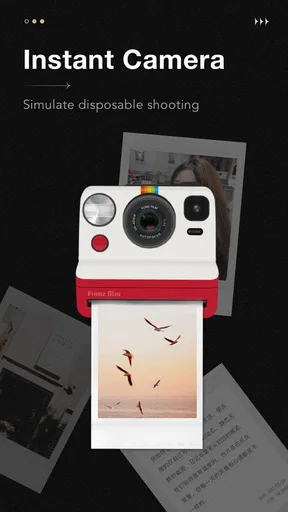
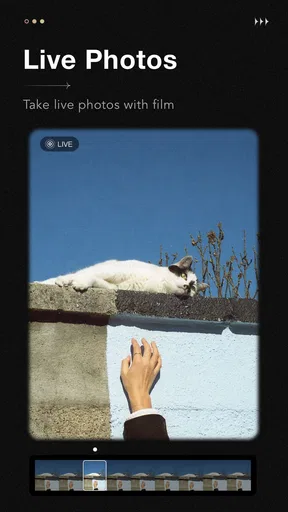
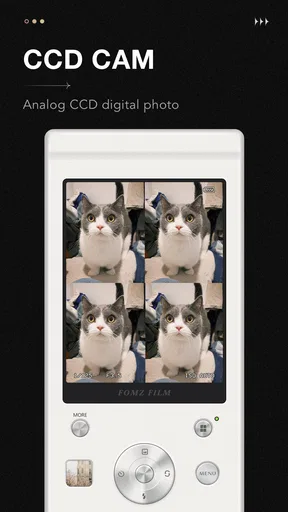
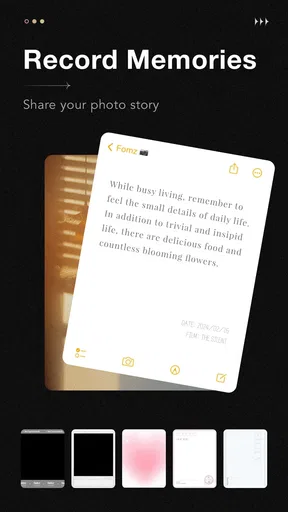
Our Review of Fomz
 Analysis by Appyee
I approached Fomz as a quick way to give ordinary phone photos a more deliberate, retro-inspired look. It is a free photography app from MagicDmStudio, and its focus is clear from the first use: instead of trying to replace every camera tool on your phone, it encourages you to shoot with an artistic light effect already in mind. That makes it appealing when a standard camera feels too clean or predictable.
The app has built a sizeable audience, with an average rating of 4.6 from around 88 thousand ratings and more than 10 million installs. Those figures suggest that its simple visual idea connects with many people, but they do not tell you whether it suits your habits. After spending time with it, my view is that Fomz works best for casual creators, mood-focused social posts, travel snapshots, and anyone who enjoys making a photo feel slightly imperfect. It is less convincing as a replacement for a full manual camera or a serious editing suite.
What to expect before taking your first photo
The most useful mindset is to treat Fomz as a style-led camera rather than a general-purpose photography toolbox. The difference matters. With a normal phone camera, I usually capture a clean image first and decide later whether it needs color correction, grain, light leaks, or another visual treatment. Here, the artistic direction is part of the shooting experience itself.
That approach can make the process more playful. A plain street corner, a cup on a café table, or a friend standing near a window can become a small visual experiment. I found that the app is most enjoyable when I stopped looking for technically perfect scenes and started looking for light, contrast, texture, and framing that matched the retro mood.
It is also worth keeping expectations realistic. Fomz does not turn every weak photograph into a compelling one. A badly framed image remains badly framed, and a scene with harsh or confusing light may become even busier after an artistic treatment. The app gives you a strong starting character, but you still need to make basic decisions about where to stand, what to include, and when to press the shutter.
The free entry point makes experimentation easy. The app is listed as free, while optional in-app purchases range from $1.99 to $9.99 per item. I would begin without buying anything and first work out whether its visual language fits the kind of pictures I actually take. That is especially sensible because the appeal of a retro camera is personal: some people love visible stylization, while others quickly prefer the flexibility of editing a clean original.
Who will enjoy this style most
Fomz is a natural fit for people who want a recognizable look without spending a long time adjusting sliders. It can suit a first-time creator who wants photos with more atmosphere, a social media user who prefers a consistent visual mood, or a traveler who wants everyday scenes to feel like memories rather than records.
I can also see it working well for small personal projects. For example, you might photograph the same neighborhood at different times of day, document a week of meals, or capture details from a trip using one visual approach. The limitation becomes a strength in that situation: a consistent look can make a collection feel connected even when the subjects are unrelated.
People who should look elsewhere are those who need precise exposure control, dependable color accuracy, extensive retouching, or high-end workflow tools. A standard phone camera is usually better when you need a clean original for later editing. A dedicated editing app is better when you want to control every stage after shooting. Fomz makes more sense when speed and character matter more than technical neutrality.
Setting it up without overthinking the first session
Fomz runs on Android devices using Android 7.0 or later, so its compatibility covers many phones still in everyday use. The current version is 1.2.8. Once installed, I recommend starting with a simple test rather than immediately planning a complicated photo session. Choose a subject with clear shapes and some directional light, such as a plant beside a window or a building façade in the late afternoon.
That first test gives you three useful answers quickly. You learn how the app changes the atmosphere of a familiar scene, whether its shooting flow feels comfortable on your phone, and whether you prefer the result to the unedited image from your regular camera. Comparing those two versions is more informative than judging the effect in isolation.
Although the app is aimed at Everyone, the experience still benefits from a little preparation. Clean your lens, avoid a cluttered background, and take a moment to check the edges of the frame. Retro styling can draw attention to bright areas, dark corners, and strong lines, so small distractions may become more noticeable rather than disappearing.
I would also avoid making a purchase during setup. Use the free experience long enough to understand what kind of pictures you naturally make with it. If you find yourself returning to the same visual treatment and wishing for more variety, an optional item may be easier to evaluate later. Buying first and testing afterward reverses the sensible order.
A practical first-session routine
My preferred starting routine is deliberately small. Take one indoor photo near a window, one outdoor photo with a simple background, and one close-up of an object with visible texture. Then look at each image beside a regular camera version. This reveals where Fomz helps and where it gets in the way.
The indoor test shows whether the effect preserves enough detail in shadows. The outdoor test shows how it handles a broader range of brightness. The close-up reveals whether the retro treatment adds personality to texture or simply makes the subject look too busy. These three scenes are more useful than taking dozens of random pictures because they expose different trade-offs in a few minutes.
For a realistic everyday example, imagine meeting a friend after work and wanting a quick photo for a private chat or a social post. Instead of taking a normal picture, opening an editor, searching through filters, and adjusting the result, you can use Fomz as the creative decision at the moment of capture. If the lighting is already interesting, that shorter path is the app’s strongest practical advantage.
Getting to the first meaningful result
The first successful action is not simply pressing the shutter. It is making one photo where the chosen style supports the subject. I had better results when I looked for a scene with a clear focal point and some separation between light and dark areas. A single person against a quieter background, a brightly lit object on a table, or a colorful sign against a muted wall gives the effect something to work with.
Composition becomes especially important because the visual treatment may already be doing a lot. I try to remove unnecessary objects before shooting rather than hoping the style will hide them. Moving one step to the side can be more valuable than changing the treatment. Likewise, lowering the camera slightly or leaving more empty space around the subject can make a stylized image feel intentional instead of accidental.
One non-obvious benefit is that a fixed visual direction can help beginners make decisions. New photographers often hesitate because every option remains open: edit the color, crop the frame, add contrast, choose another filter, or start again. Fomz narrows the possibilities early. That can teach you to pay attention to light and framing before relying on post-processing.
There is a trade-off, though. Narrowing the options also means that a photo may not suit the style you had in mind. I would not use it for an important document, a product image where color needs to be trustworthy, or a family photo where everyone expects a natural appearance. In those situations, capture a clean version with the usual camera first. Fomz is better for expressive images where interpretation is welcome.
Three ways to get more from the camera
First, use the app as a pre-visualization tool rather than a filter you apply without thought. Before taking the picture, ask whether the scene has the kind of light and texture that will benefit from an older, more atmospheric treatment. If the answer is no, the regular camera may produce a stronger starting point.
Second, create a small visual rule for a personal series. You could photograph only morning light, only signs and storefronts, or only objects on your desk. Keeping the subject matter narrow makes the app’s style feel purposeful. This is more effective than applying the same look randomly to every image in your gallery.
Third, leave room around important subjects. Strong effects can make edges and bright details compete for attention. A little extra space gives you flexibility when reviewing the result and helps the main subject remain readable. This is a simple habit, but it makes a noticeable difference when the app’s atmosphere is more pronounced than a standard camera image.
Where new users may become confused
The biggest source of confusion is expecting Fomz to behave like a full image editor. Its value comes from the capture experience and its artistic direction, not from replacing every tool found in a dedicated editing application. If you are searching for detailed retouching, layered adjustments, or a broad professional workflow, you may feel restricted.
Another common misunderstanding is assuming that a retro look automatically means a better photo. Style can add mood, but it can also emphasize noise, blur, awkward cropping, or uneven lighting. When a result feels wrong, I first reconsider the scene and composition rather than blaming the treatment. A cleaner subject and simpler background often solve more than another round of experimentation.
It is also easy to judge the app only by dramatic examples. Subtle scenes can be more revealing. Try photographing the same object under soft light and then under a stronger light source. The comparison helps you understand whether you like the app for its color character, its atmosphere, or simply the novelty of seeing a familiar subject transformed.
Storage and sharing habits deserve a little attention as well. I would review images after each short session instead of letting every experiment accumulate. Keep the strongest versions and remove near-duplicates. This is particularly useful if you use the app for a daily photo project, because the creative process can quickly produce more similar images than you need.
The app’s audience size can be reassuring for a first-time user, and the 4.6 average indicates broad satisfaction, but popularity should not replace personal testing. Photography preferences vary more than many other app categories. A person who loves natural skin tones may dislike the exact quality another user finds charming. Your own side-by-side comparison with the default camera is the most reliable test.
When another camera is the better choice
Use the phone’s standard camera when the moment is unpredictable and you need the safest all-purpose result. It is also the better choice for documents, receipts, neutral portraits, or anything you may need to edit in several different ways later. A clean original gives you more options.
Choose a dedicated editor when you already have a photograph you like but want to correct a specific problem. If the horizon is crooked, the subject needs careful cropping, or the colors require precise adjustment, a general editor will usually offer more control than a style-first camera.
Choose Fomz when the visual mood is part of the reason you are taking the photo. That includes casual memories, creative experiments, themed collections, and quick posts where you would rather make one expressive decision than spend several minutes refining a neutral image.
Taking the next step after the first success
Once you have a result you genuinely like, the next step is not to use the app on everything. Instead, identify what made that image work. Was it the side lighting, the uncluttered background, the close framing, or the contrast between the subject and its surroundings? Repeating that condition will improve your results more reliably than simply taking more pictures.
I would build a short personal checklist: look for interesting light, simplify the frame, leave space around the subject, and compare the result with a normal camera image. That process turns Fomz from a novelty into a small creative practice. It also makes its limitations easier to accept because you know when the app is helping and when it is not.
If you are considering the optional purchases, wait until you have used the free version across several kinds of scenes. The listed purchase range runs from $1.99 to $9.99 per item, so the sensible question is not whether an extra option sounds appealing, but whether it changes the way you actually shoot. A style that looks interesting in a preview may not fit your everyday subjects.
MagicDmStudio has kept the idea focused: an artistic light retro camera for people who want atmosphere at the point of capture. That focus is why I find Fomz more memorable than a generic filter collection, but it is also why I would not recommend it as the only photography app on a phone. Keeping the standard camera available gives you a practical fallback for important images.
For a first-time user, my recommendation is simple: install it, choose an uncomplicated subject near good light, and take a small set of comparison photos before exploring anything further. If you enjoy the results without needing to repair them afterward, you have found a useful creative companion. If you keep wishing for natural colors, precise controls, or deeper editing, move on without feeling that you missed the point.
Overall, Fomz is strongest when you want a quick photo to carry a mood rather than merely record an event. It is free to try, suitable for Everyone, and available on Android 7.0 and later. I would recommend it to casual photographers who like retro character and fast experimentation, while steering demanding or accuracy-focused users toward the regular camera or a more comprehensive editor.
Verdict
Strengths of Fomz
- Retro film filters create warm, nostalgic-looking photos.
- Simple interface makes editing quick for beginners.
- Offers a variety of camera styles and visual effects.
- Useful presets help maintain a consistent feed aesthetic.
- Lightweight editing tools are easy to use on mobile devices.
Limitations of Fomz
- Some filters and features may require in-app purchases.
- The app can feel limited for advanced photo editing needs.
- Exported images may include branding on certain settings.
- Filter previews may not always match the final image exactly.
- Frequent effects can make photos look overly processed.
Similar Picks in This Category
View All
Google Photos
Google LLC4.4

Gallery
Google LLC4.2

Picsart AI Photo Editor, Video
PicsArt, Inc.3.9

B612 AI Photo&Video Editor
SNOW Corporation4.1

BeautyPlus-Selfie Photo Editor
PIXOCIAL TECHNOLOGY (SINGAPORE) PTE. LTD.4.5

Remini - AI Photo Enhancer
Bending Spoons4.1
Frequently Asked Questions
What is Fomz and what can I use it for?
Fomz is a camera and photo-editing app designed to give images a nostalgic, film-inspired appearance. It typically combines vintage filters, date stamps, light leaks, grain, color adjustments, and other analog-style effects. After taking or importing a photo, you can experiment with different presets and editing tools to create images that resemble photographs from disposable or classic film cameras.
Is Fomz free to download and use?
Fomz can generally be downloaded for free, but some of its filters, camera effects, editing tools, or customization options may be restricted to premium users. The exact pricing and available features can vary depending on the platform, region, and current version of the app. Before confirming a subscription or purchase, check the in-app payment details and trial conditions carefully.
Does Fomz work with photos already stored on my device?
Yes, Fomz is intended to work both as a camera and as an editor for existing images, although the available import and editing options may depend on the version installed. You can usually select a picture from your gallery, apply film-style presets, adjust the result, and save or share the finished image. Review its storage and photo permissions before granting access.
Can I use Fomz without an internet connection?
Some of Fomz’s basic camera and editing functions may work offline once the necessary resources are installed, but not every feature is guaranteed to be available without an internet connection. Online access may be required for downloading filters, loading advertisements, synchronizing purchases, or accessing premium content. If offline use is important, test the specific tools you need before traveling.
What permissions and privacy considerations should I know about before installing Fomz?
Because Fomz is a photography app, it may request access to your camera, microphone, photos, and device storage so you can capture, import, edit, and save images. Only grant permissions that match the features you intend to use. It is also wise to read the current privacy policy and store listing, especially if you plan to use cloud features, advertisements, analytics, or social sharing.
